
Phone as steering wheel
Pinewood Drive
A winding road, a picnic delivery, and a few surprises in the trees. Who’s taking the wheel?
 Let's play
Games
Phone as steering wheel
A winding road, a picnic delivery, and a few surprises in the trees. Who’s taking the wheel?

Phone as fishing rod
A quiet dock, a curious fish, and a little patience. Cast a line and see what the lake has in store.

Phone as snowboard controller
Carve between the firs, find a snowy jump, and make your way down Mt. Hood. Your lean leads the way.
Open a game on a larger screen, then scan its QR code to connect your phone. Depending on the game, your phone becomes a steering wheel, fishing rod, or snowboard controller.
Use a desktop, laptop, or tablet. For a TV, connect a computer.
Scan the game's QR code with your phone and follow its setup.
Enable motion when prompted, keep both screens open, and play.
The challenge before the game
A controller can begin as a sketch on the kitchen table. Families choose materials, test ideas, solve problems, and improve what they made together.
Pinewood Drive
Start with cardboard, an old toy, or something round you find at home. What else could steer?
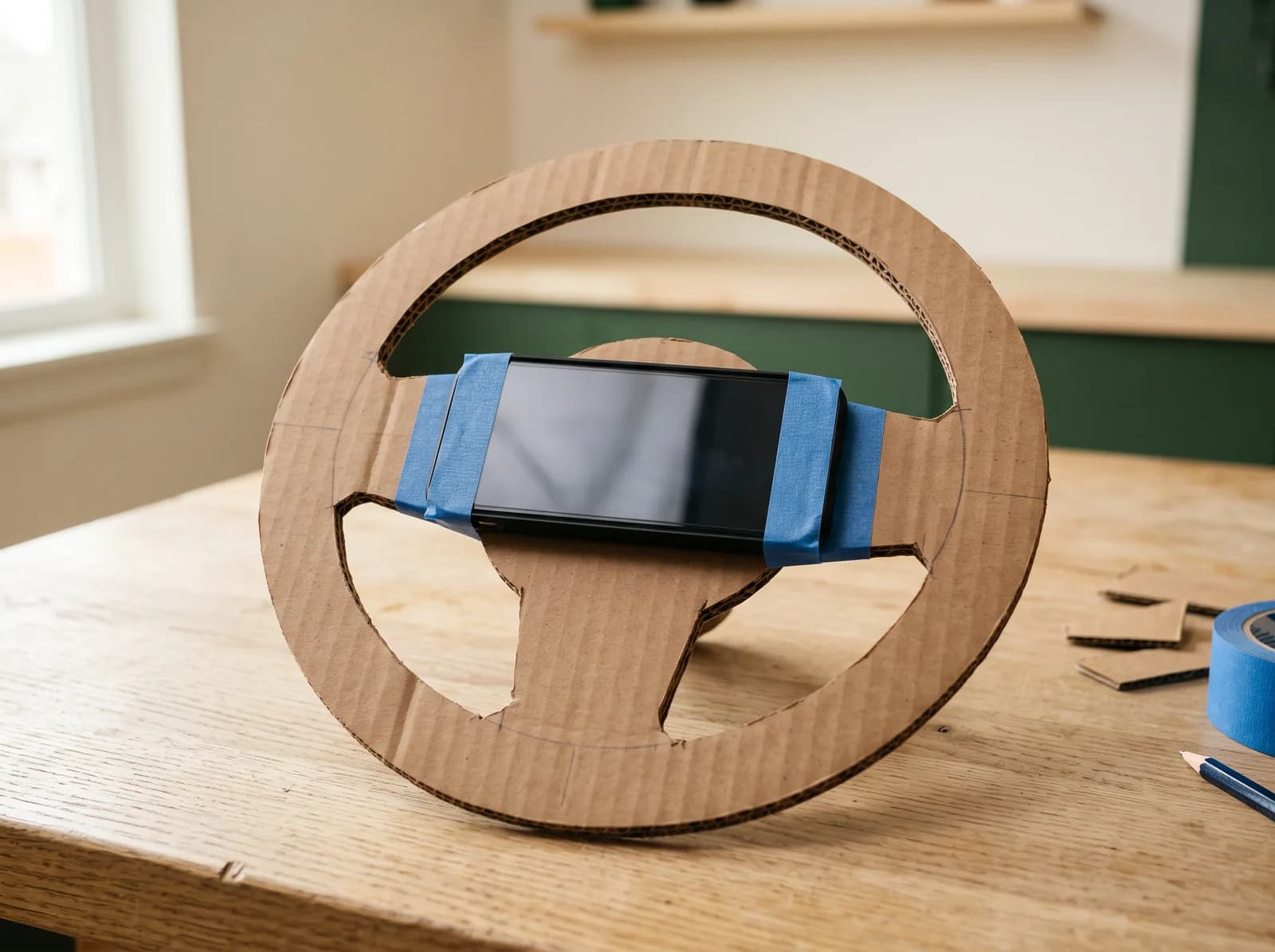
Cut a flat wheel with a solid center, then tape the phone to it. What size feels good in your hands?

Give a ride-on toy a new adventure. Attach the phone to the steering wheel so they turn together.
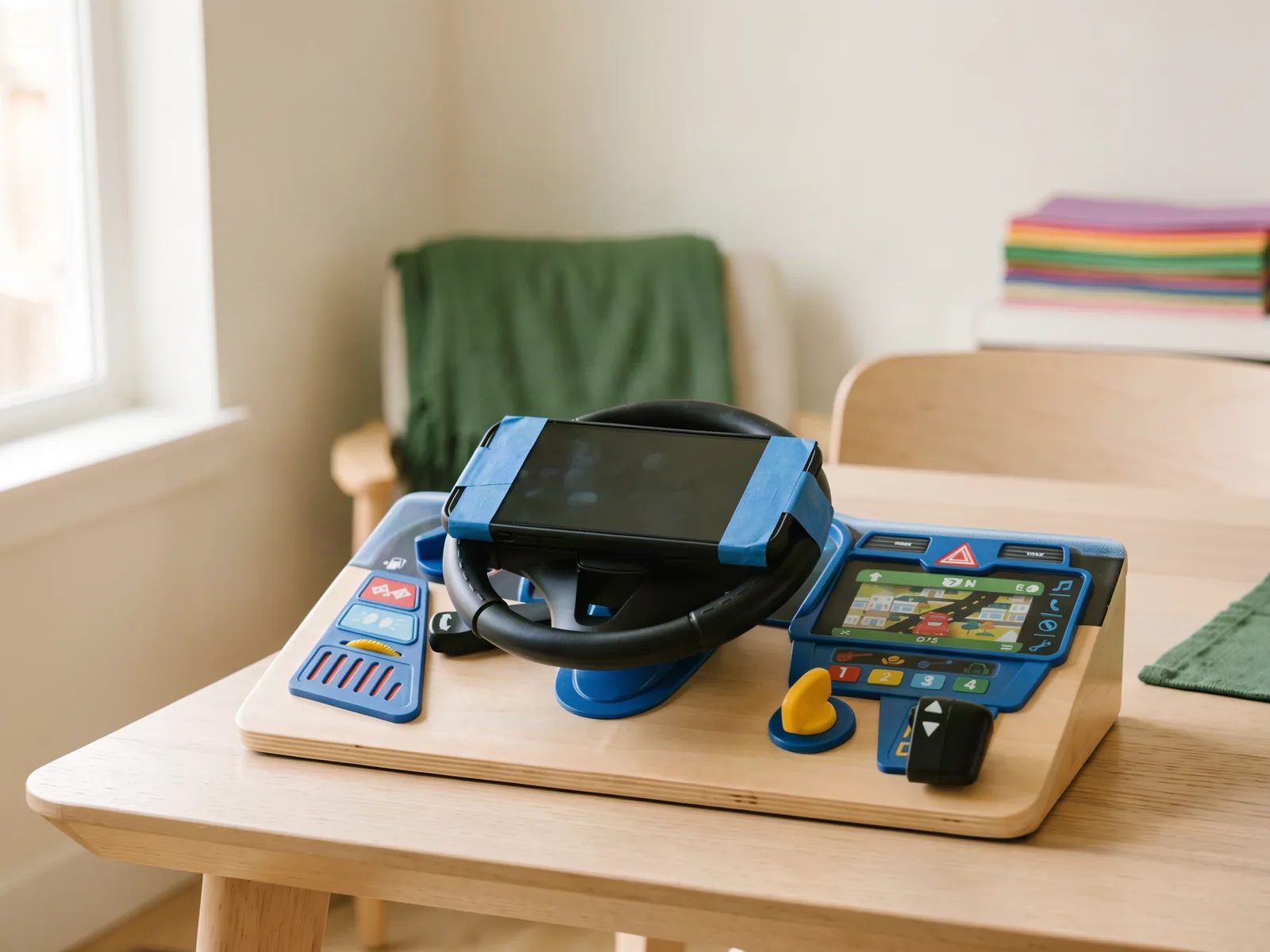
Tape the phone to the moving wheel of a toy dashboard. Leave room for your hands around the rim.
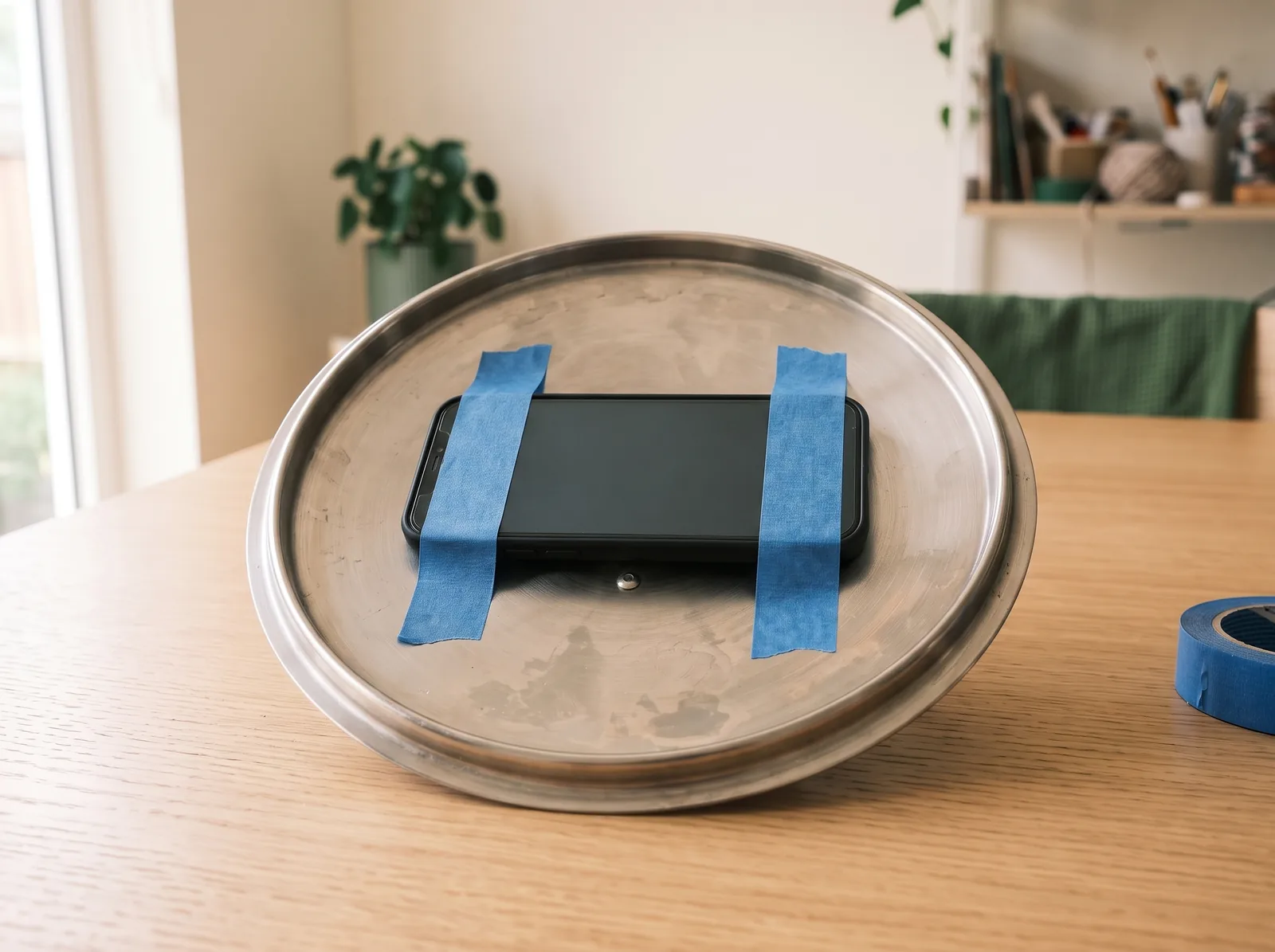
Try a clean, cool pot lid with the phone taped to its inside. Can you find a comfortable grip?
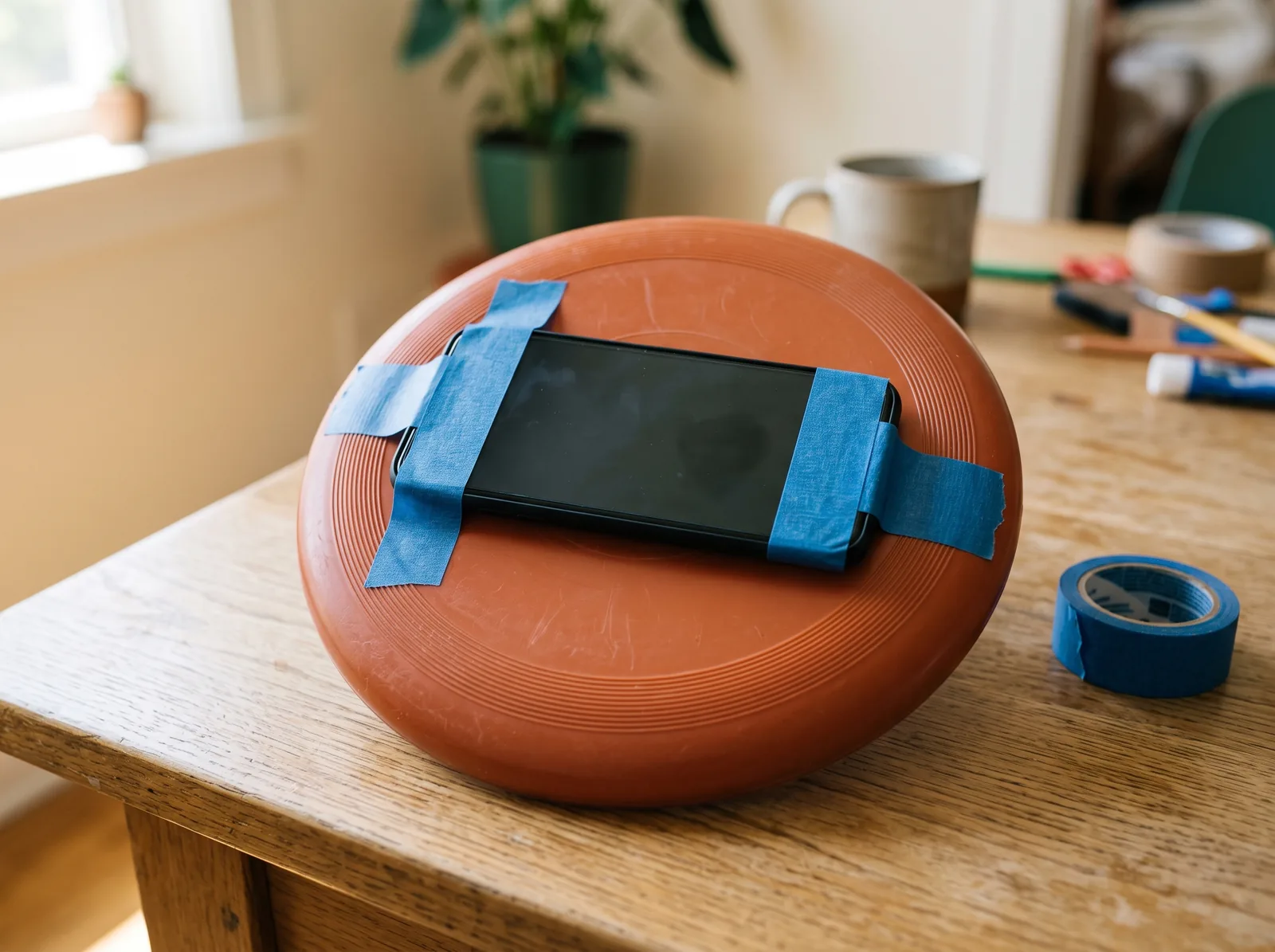
A flying disc can steer, too. Secure the phone in the middle and see how it feels to turn.
Alder Fishing
A turning handle and a repeating sound can become part of the game. Try these ideas with the phone’s optional sound reeling.
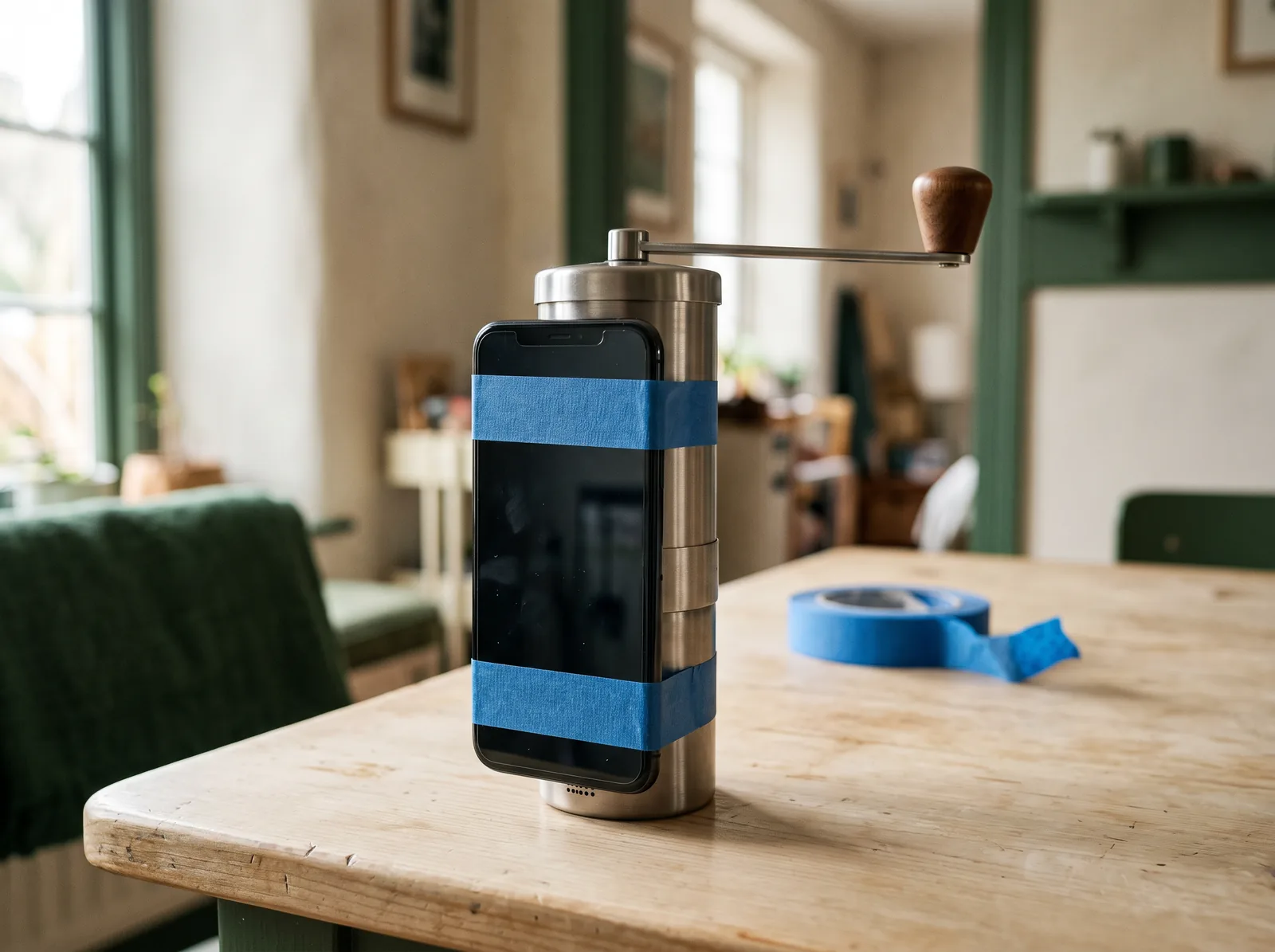
Tape the phone to a manual grinder’s body, leaving the crank and microphone clear. Try its repeating sound with sound reeling.
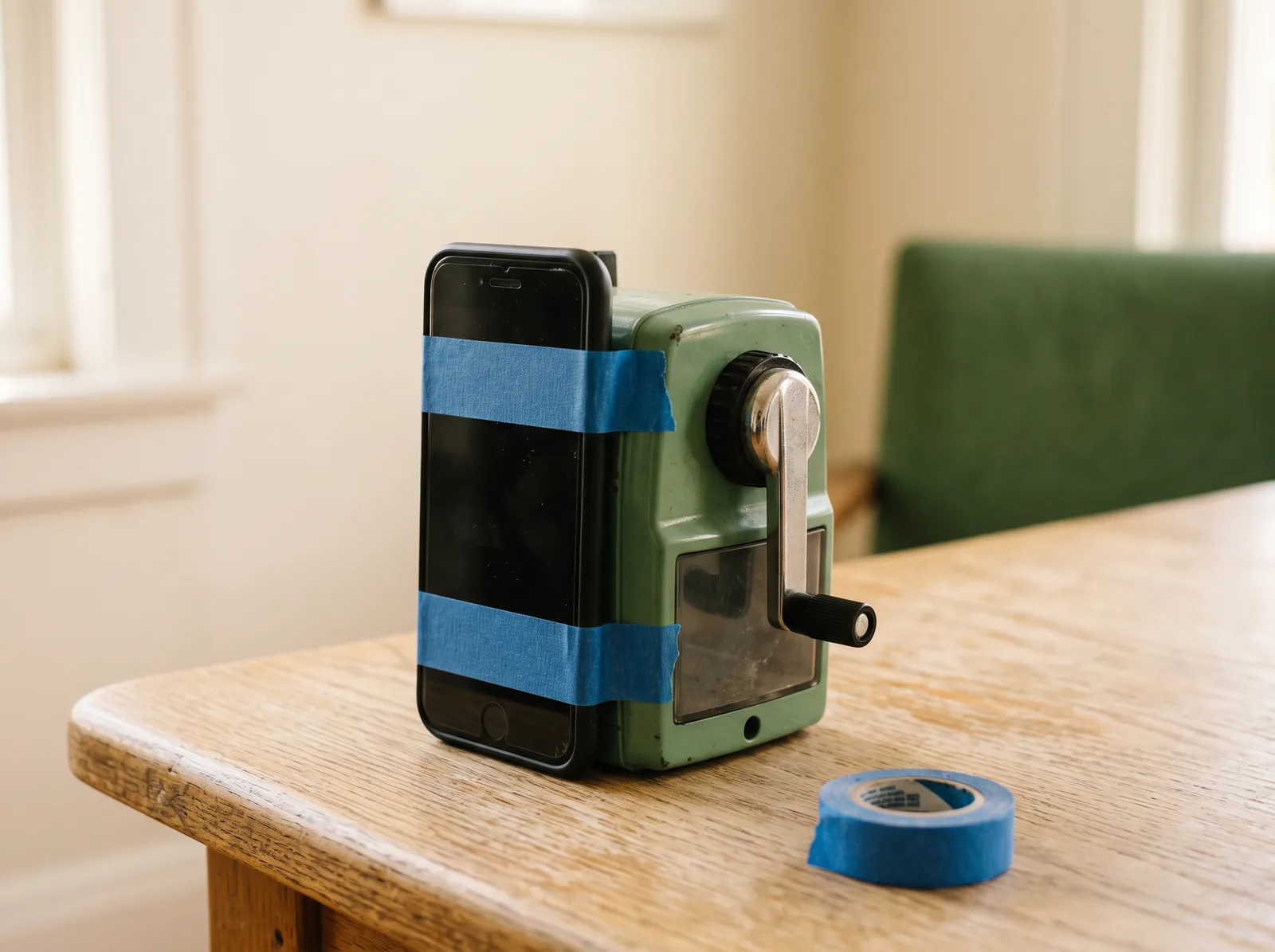
Give a hand-cranked sharpener a new job. Attach the phone to its body and test whether its clicks register as you turn.
Mt. Hood Rush
A plywood deck, a small support, and a phone in the middle. Experiment together with a gentle tilt.
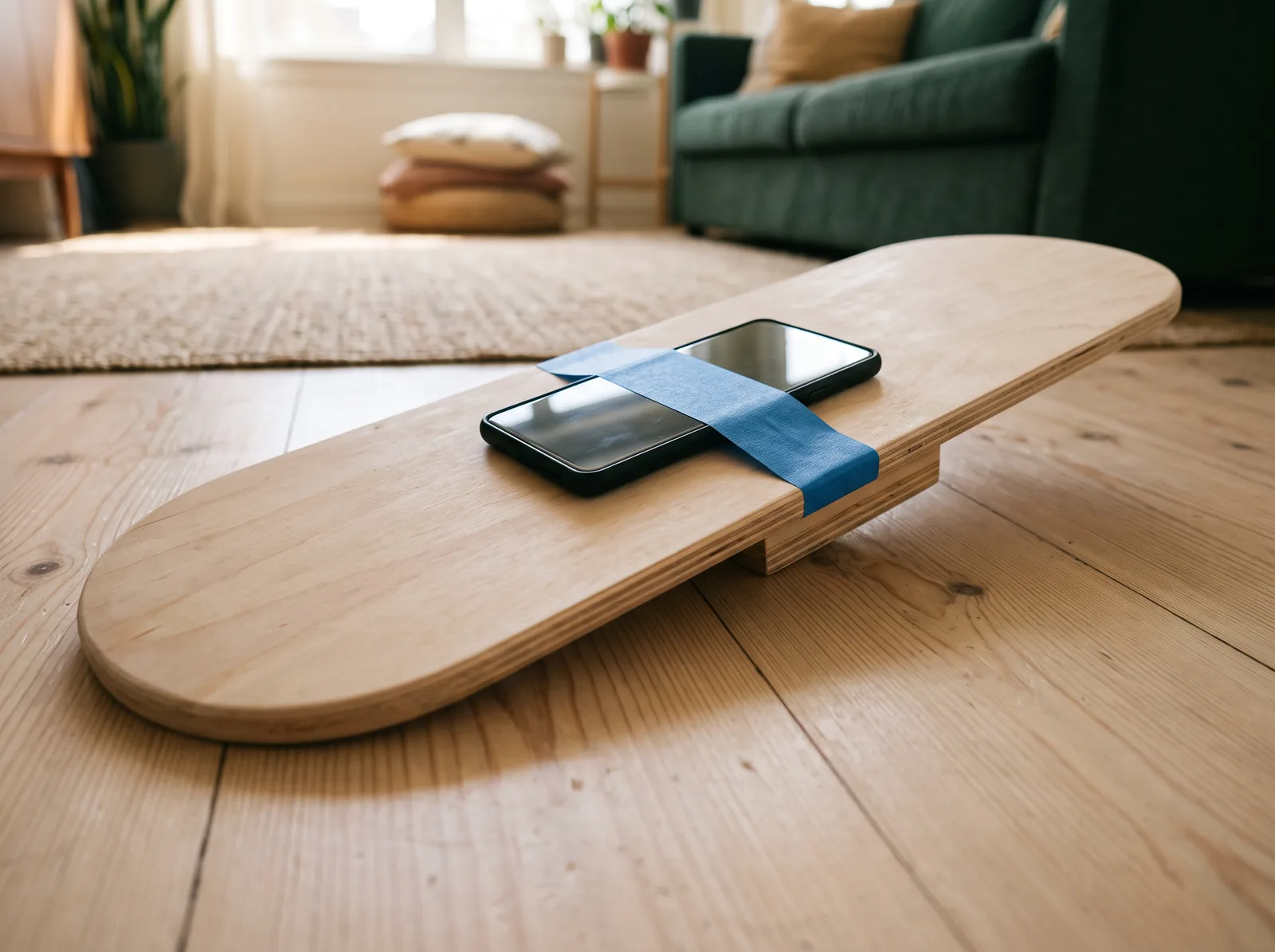
Fix a short, narrow block underneath the middle of a plywood board, along its length. Keep it much shorter than the deck, with room to tilt gently side to side. Tape the phone at the center.
Use what you have, build from scratch, or play with the phone on its own.
The making is part of the play.
Why we're making this
Tumblegrove uses simple video games to spark movement, creativity, collaboration, and hands-on problem-solving.
We want kids asking:
What makes Tumblegrove different
Everything around the game stays simple and open-ended, so families can focus on each other and what they're making.
Nothing to download. No account, ads, subscriptions, in-game currency, paywalls, or required purchases. Every game is free to play.
If you want to support Tumblegrove, you can tip us or buy a prebuilt prop—but neither is needed to play.
No monsters, violence, or enemies to defeat. No streaks, endless progression, or reward loops designed to hold a child's attention. The pace stays clear and calm, without constant prompts, flashing rewards, or noise piled on for effect.
The crafting challenge is part of the play. Families think together, learn by experimenting, build with household materials, give old toys new jobs, and use what they make through movement.
What will you
make together?
Word of mouth means a lot to us. If you know a family who would enjoy Tumblegrove, pass it along.