Give a crank a new job
Try a manual coffee grinder or hand-cranked pencil sharpener. Tape the phone to the stationary body, leaving the crank free to turn and the microphone uncovered. Does it feel comfortable to hold?
 Let's play
 Alder Fishing / Setting it up
A manual coffee grinder or pencil sharpener could bring reeling into your hands. The phone listens for a repeating sound as you turn the crank. Try an idea together, or use the on-screen Reel button.
A few places to start ↓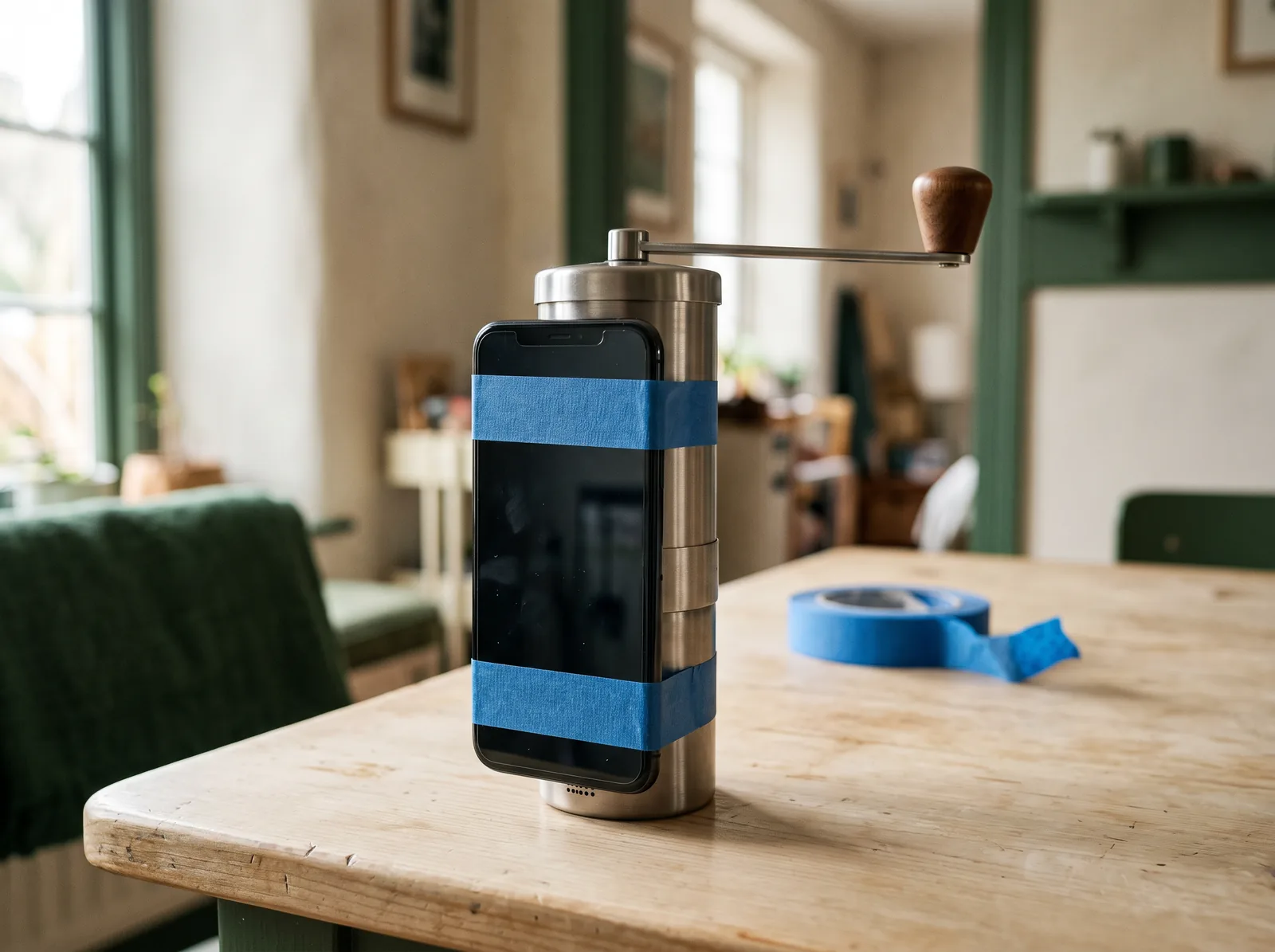
Sketch it. Try it. Change it.
Try a manual coffee grinder or hand-cranked pencil sharpener. Tape the phone to the stationary body, leaving the crank free to turn and the microphone uncovered. Does it feel comfortable to hold?
Tap Enable sound reeling on the phone and allow microphone access. Keep the crank still while it listens to the room, then turn it to test. Adjust Sensitivity if its clicks are too quiet or other sounds register. Stop turning to ease the line.
You can cast with the phone and hold the Reel button to reel in. If a tabletop crank is too bulky to cast comfortably, cast with the phone first, then secure it to the reel before turning.
More things to try
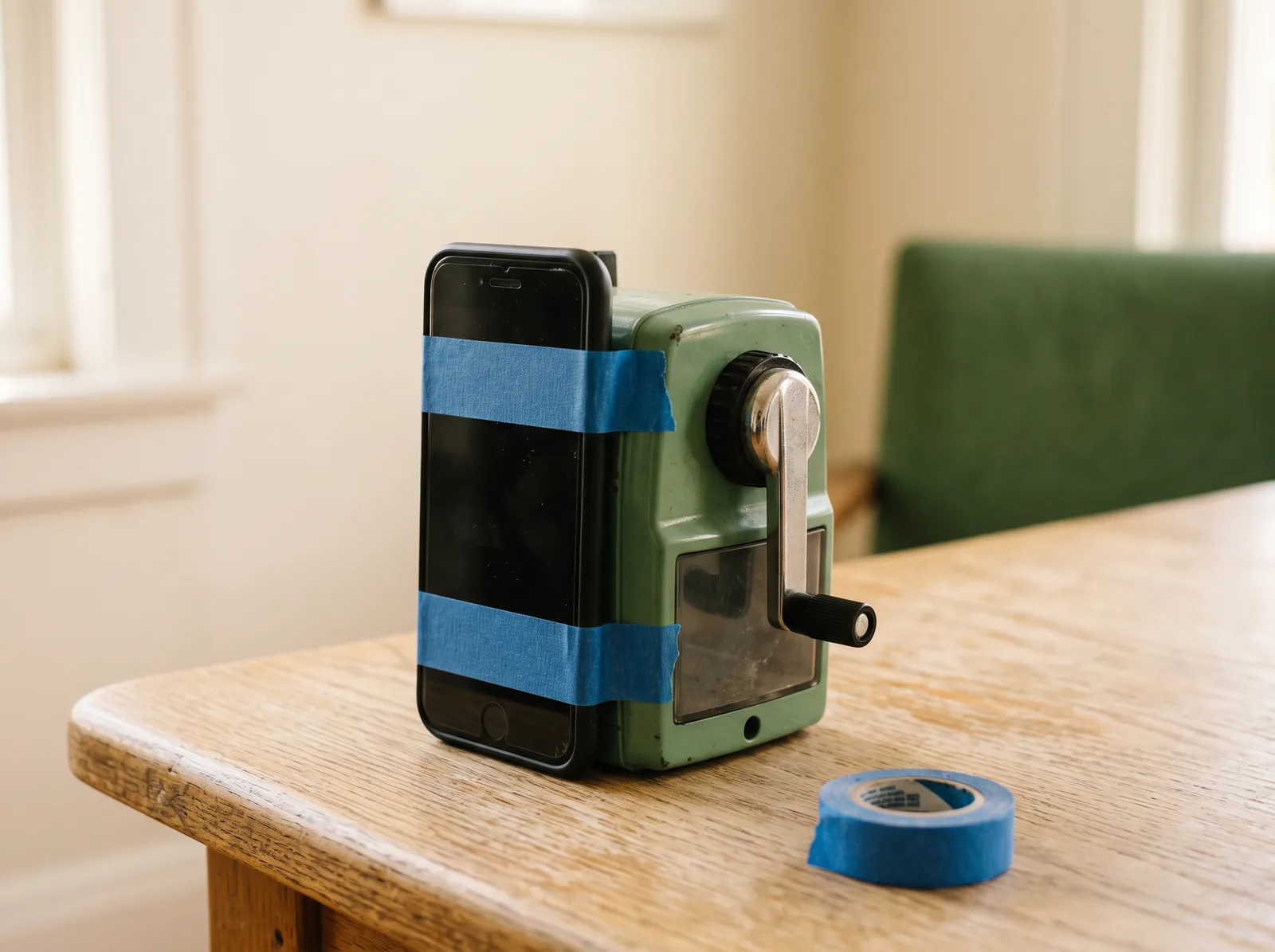
Give a hand-cranked sharpener a new job. Attach the phone to its body and test whether its clicks register as you turn.
Make room for the story
Choose your fishing spot together. One person can cast while another watches for the bobber to dip. Take turns telling the story of the fish you meet.
Test your crank while the game is paused. Does the phone show that it detects the sound? Does turning leave the phone secure? Keep Reel within reach, too. Use only a small, gentle movement to cast.
A grown-up should check the attachment and handle any sharp parts. Use a manual device with its working parts enclosed, keep fingers clear, and leave out pencils and coffee beans. Keep bulky tabletop props on the table while casting.
02 / Play
Bring a bigger screen and a companion phone.
Use a desktop, laptop, or tablet. For a TV, connect a computer and open the game there.
Scan the QR code on the game screen. Keep both screens open.
Enable motion and set your rod center. Tip left or right to aim. Tilt back a little to lock your spot, then swing gently forward to cast. Use the Reel button, or enable sound reeling and test your crank before you begin.
Come back to your build whenever a new idea strikes.